01 Customer → WhatsApp
The customer writes. Support begins.
Camila describes the problem on WhatsApp. Your agent receives it in the same channel.
Support Agent · Care that follows through
Your agent handles messages and calls, records the case and connects it with the person who can solve it. See every step, through to closure.
Your channels. Your team. One shared history.
Scroll down. See what happens next.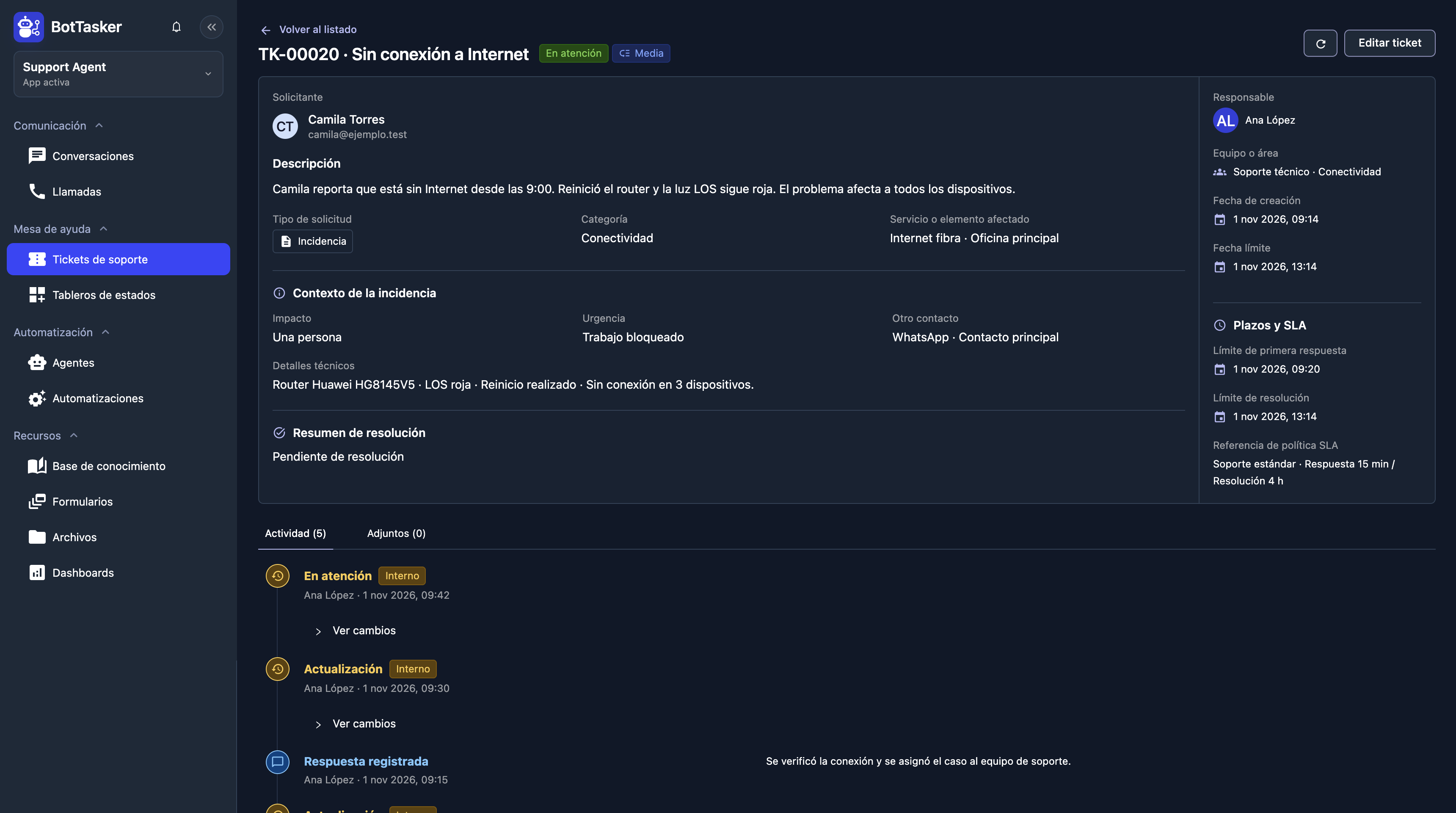
Actual product screens. Sample data.
Support starts wherever you are needed.
ONE CASE, EVERY DETAIL
Camila has lost her Internet connection. Follow your agent from the first hello to the customer's confirmation that everything works again.
 Support
Agent Receiving report Explore modules
01 Customer → WhatsApp
02 AI Agent → Customer
03 Customer → AI Agent
04 AI Agent · Ticket subject
05 AI Agent · Incident description
06 AI Agent · Type and priority
07 AI Agent → Ana López
08 BotTasker · Ticket created
09 AI Agent → Customer
10 Example board · Pending
11 Ana López · In progress
12 AI Agent → Ana López’s session
13 AI Agent → WhatsApp
14 Ana López → AI Agent
15 Customer + AI Agent · Resolved
16 Dashboard · Service control
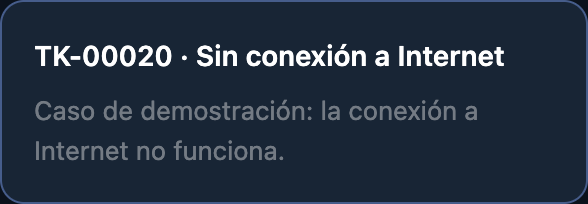
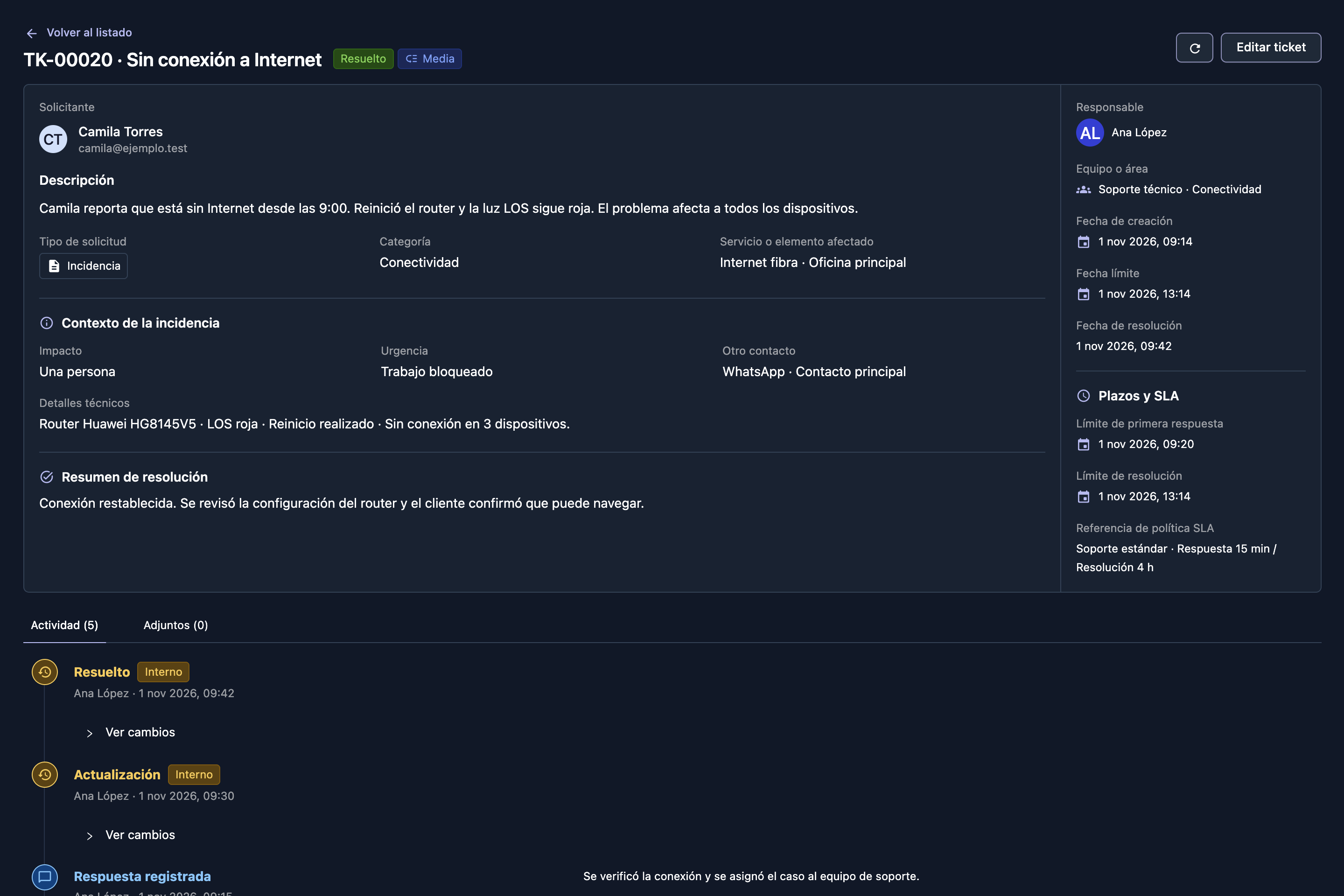
Camila reporta que está sin Internet desde las 9:00. Reinició el router y la luz LOS sigue roja. El problema afecta a todos los dispositivos.
The context stays with the case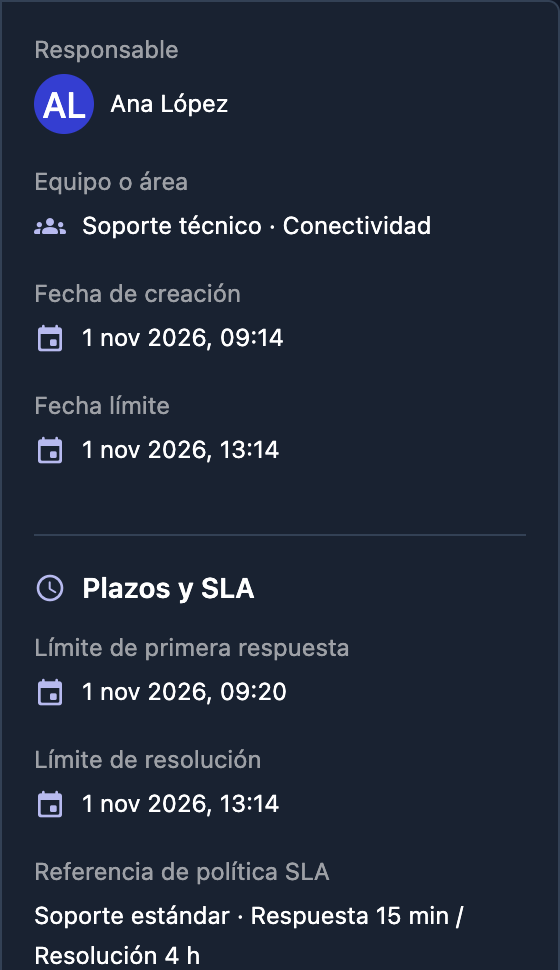 ✓ Owner assigned
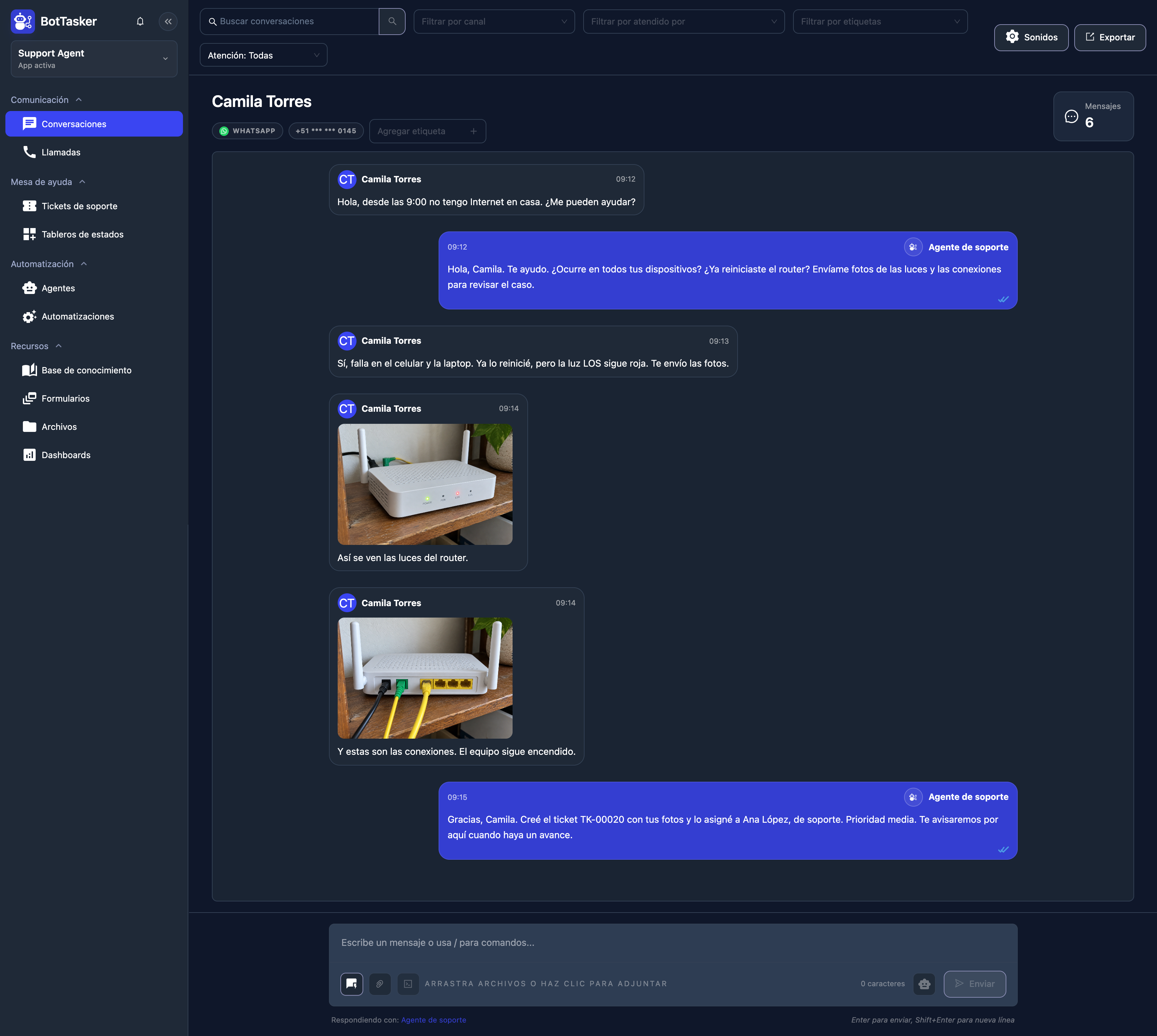
Camila describes the problem on WhatsApp. Your agent receives it in the same channel.
The agent replies, asks when it started and checks what the customer already tried. It gathers context before creating a ticket.
Camila confirms the time, the restart and the red light. These details will travel with the ticket to its owner.
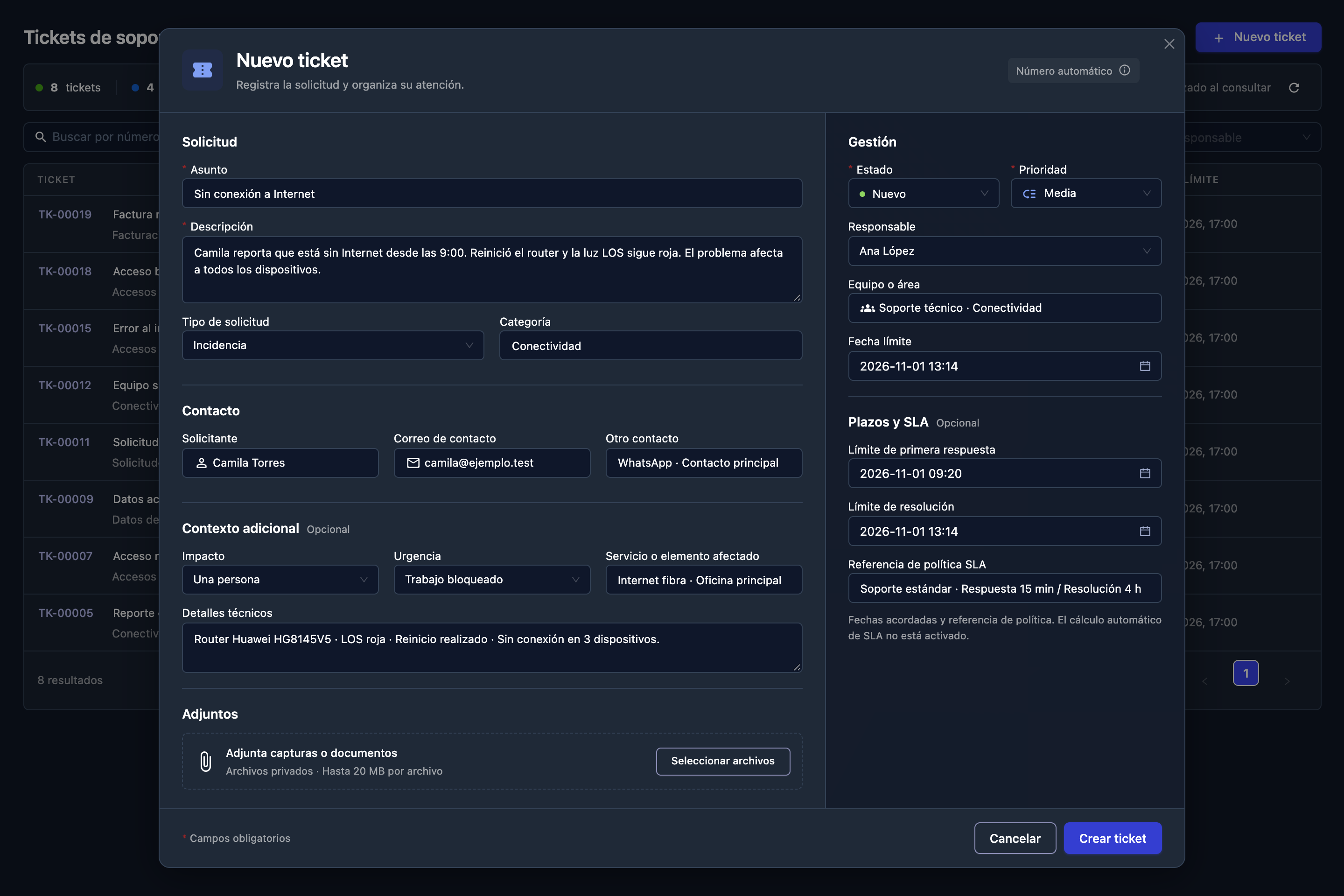
The agent opens the queue, where other cases are already being handled. It selects New ticket and enters the subject in the real creation form.
The agent records the symptom, start time, scope and troubleshooting already done. The owner receives the full context.
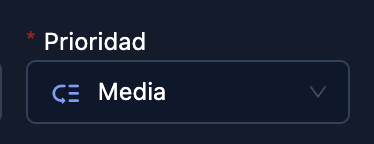
It is recorded as an incident with a priority. Classification criteria follow the rules of your operation.
The agent assigns Ana López. The ticket shows who owns the case alongside Camila's original report.
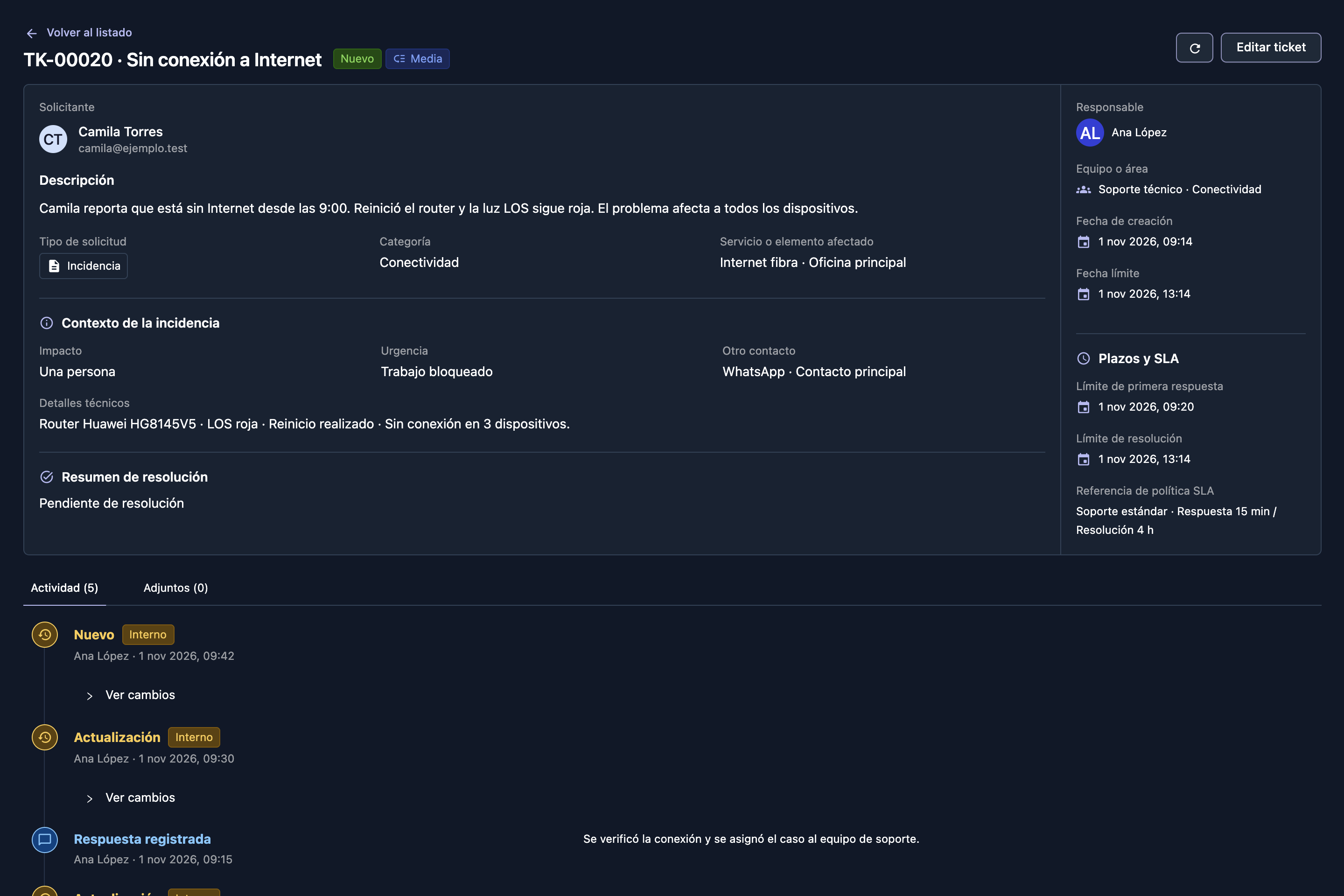
Requester, description, priority and owner are in one record. The case has a reference for the entire support journey.
Camila receives the ticket number, its owner's name and the next step. The agent keeps the conversation together.
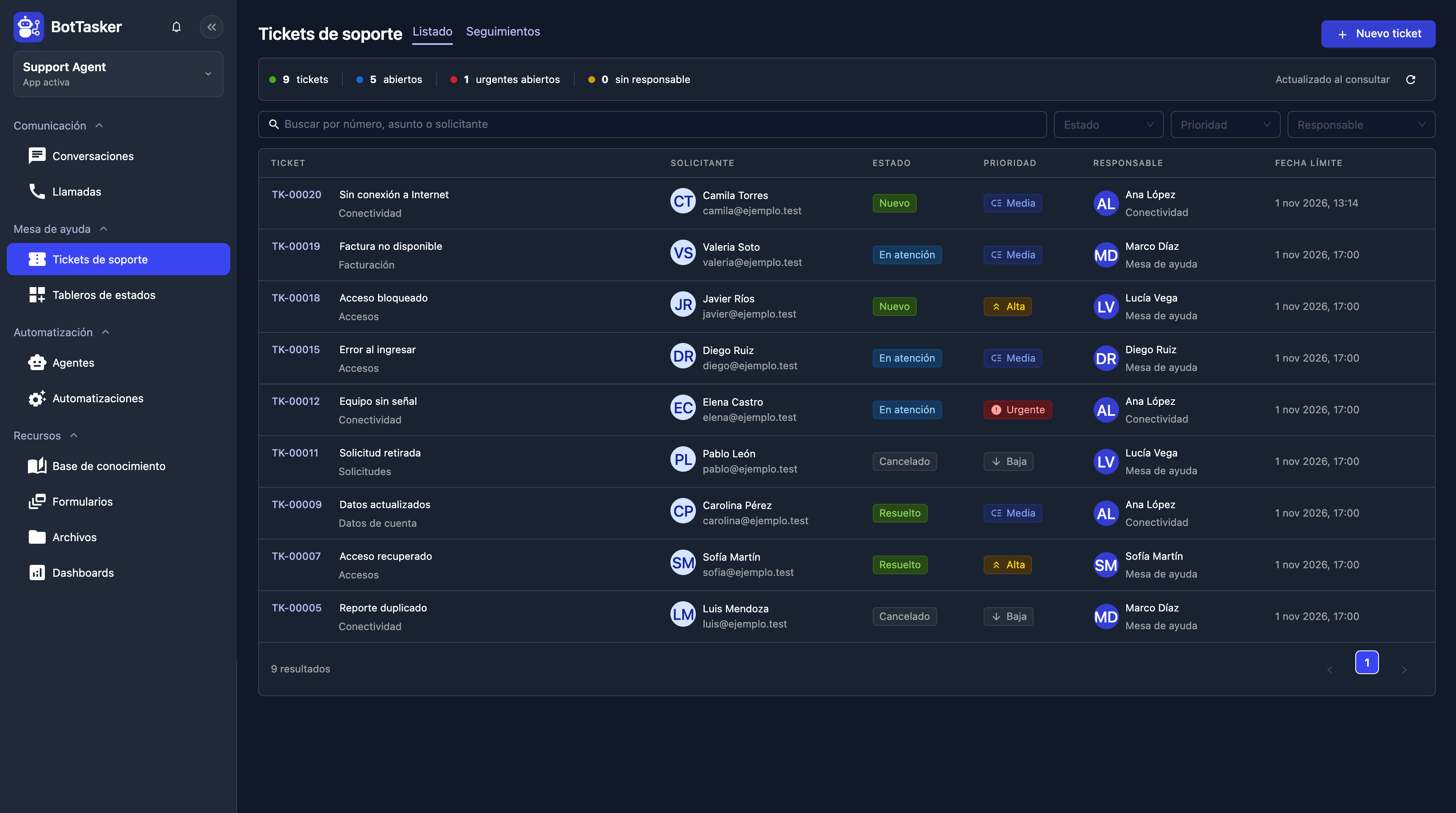
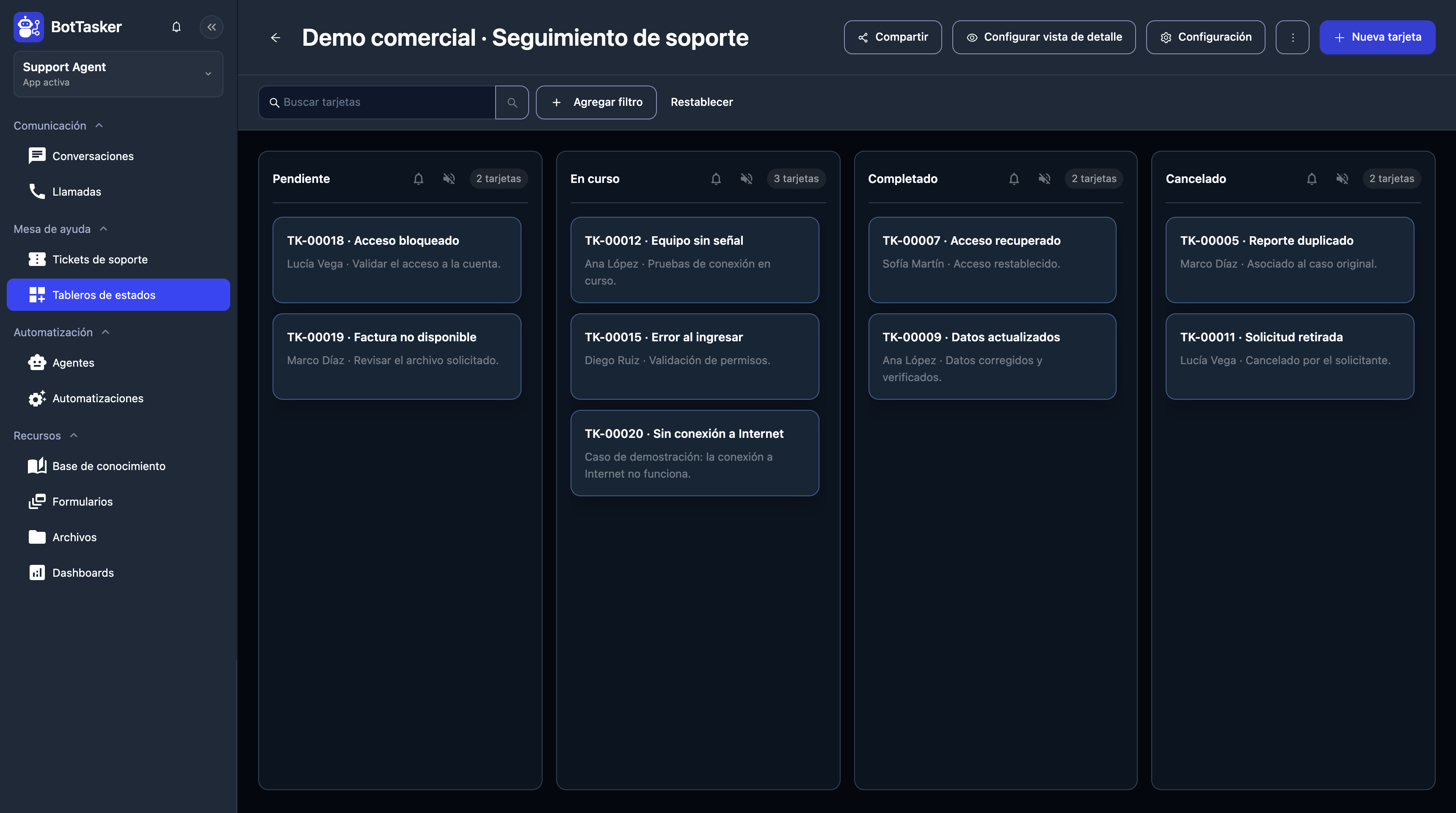
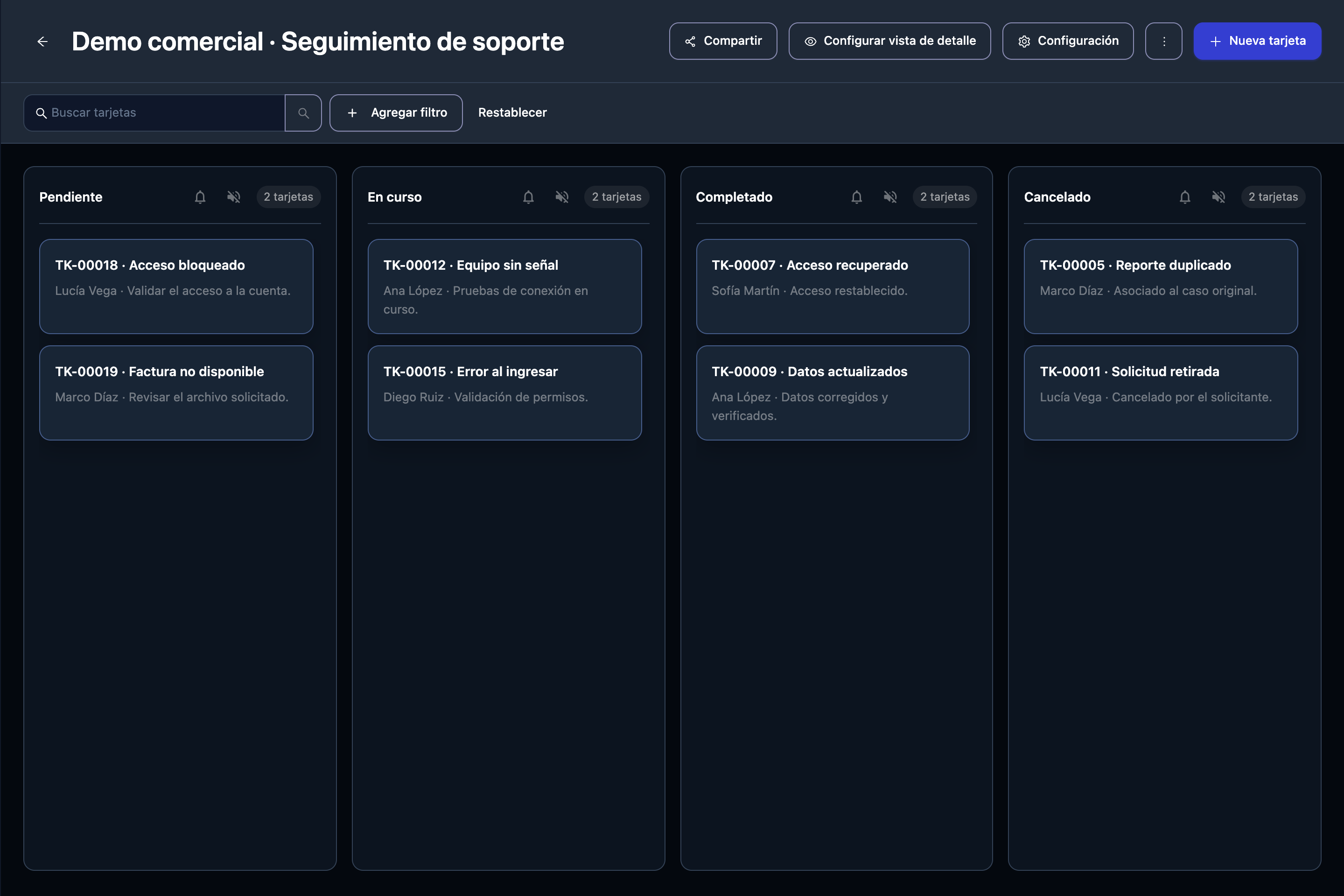
The card starts in Pending. Your team can see incoming cases and which ones still need someone to act.
The owner takes the case and changes its state to In progress. The whole team can see the progress.
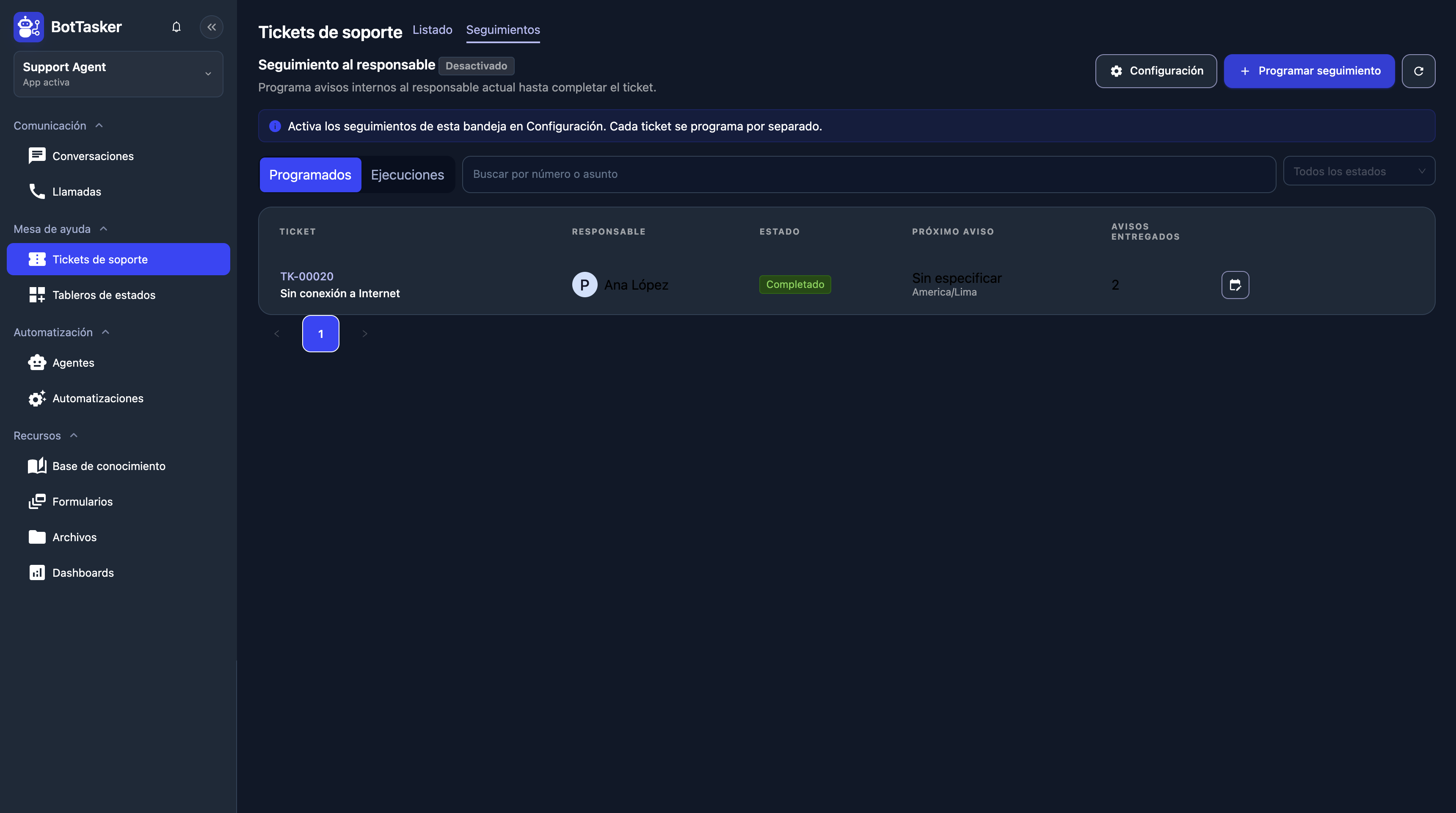
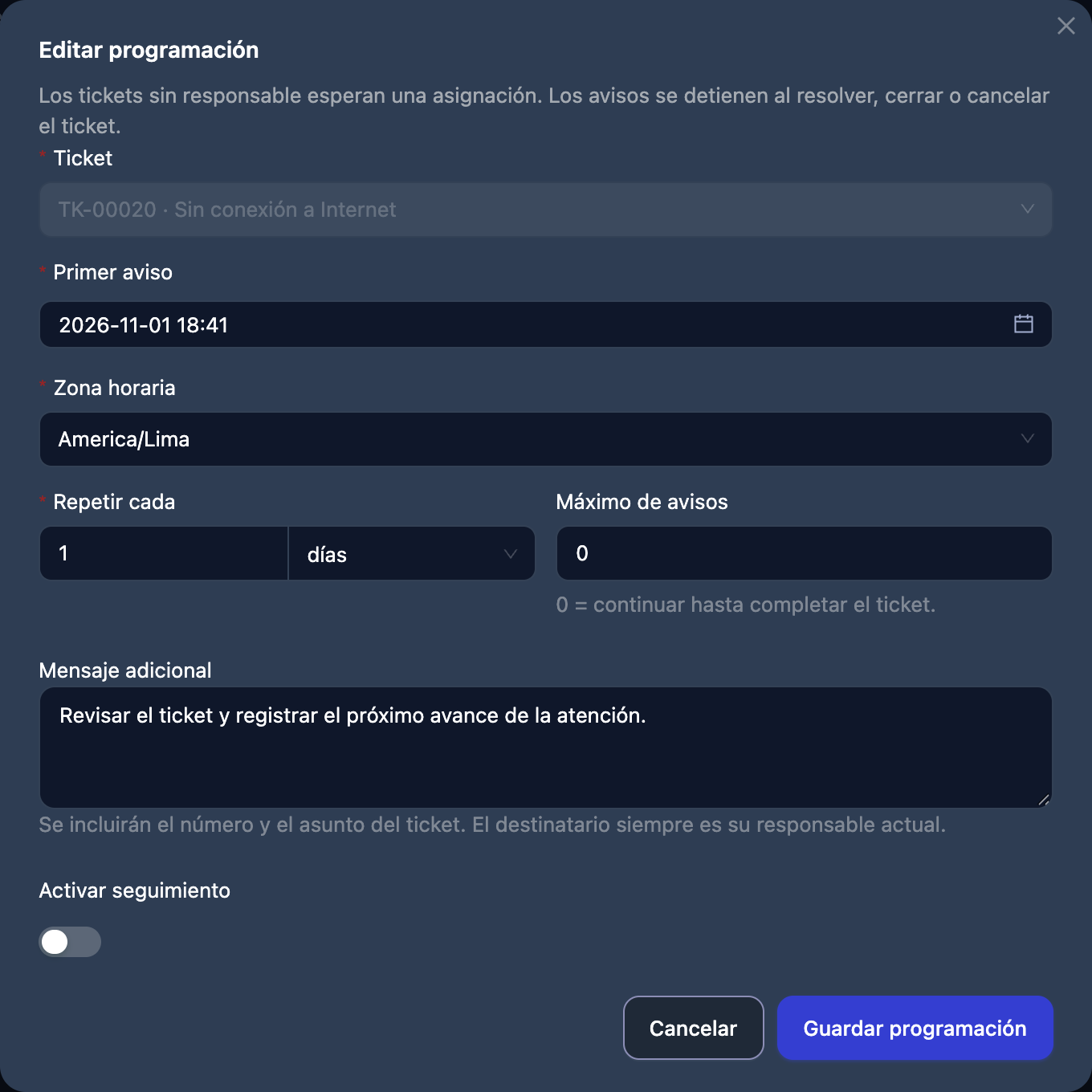
The follow-up sends a reminder to Ana, the case owner. The animation illustrates her receiving it in her session, identifying ticket TK-00020 and opening it to check the connection and record progress.
The agent returns to the same chat with a ticket update. Internal reminders and customer replies both have a place in the journey.
The solution is written in the ticket and the card reaches Completed. The agent checks the outcome and asks the customer to verify.
Camila confirms the connection works. The agent replies, with the ticket, solution and support history kept as a reference.
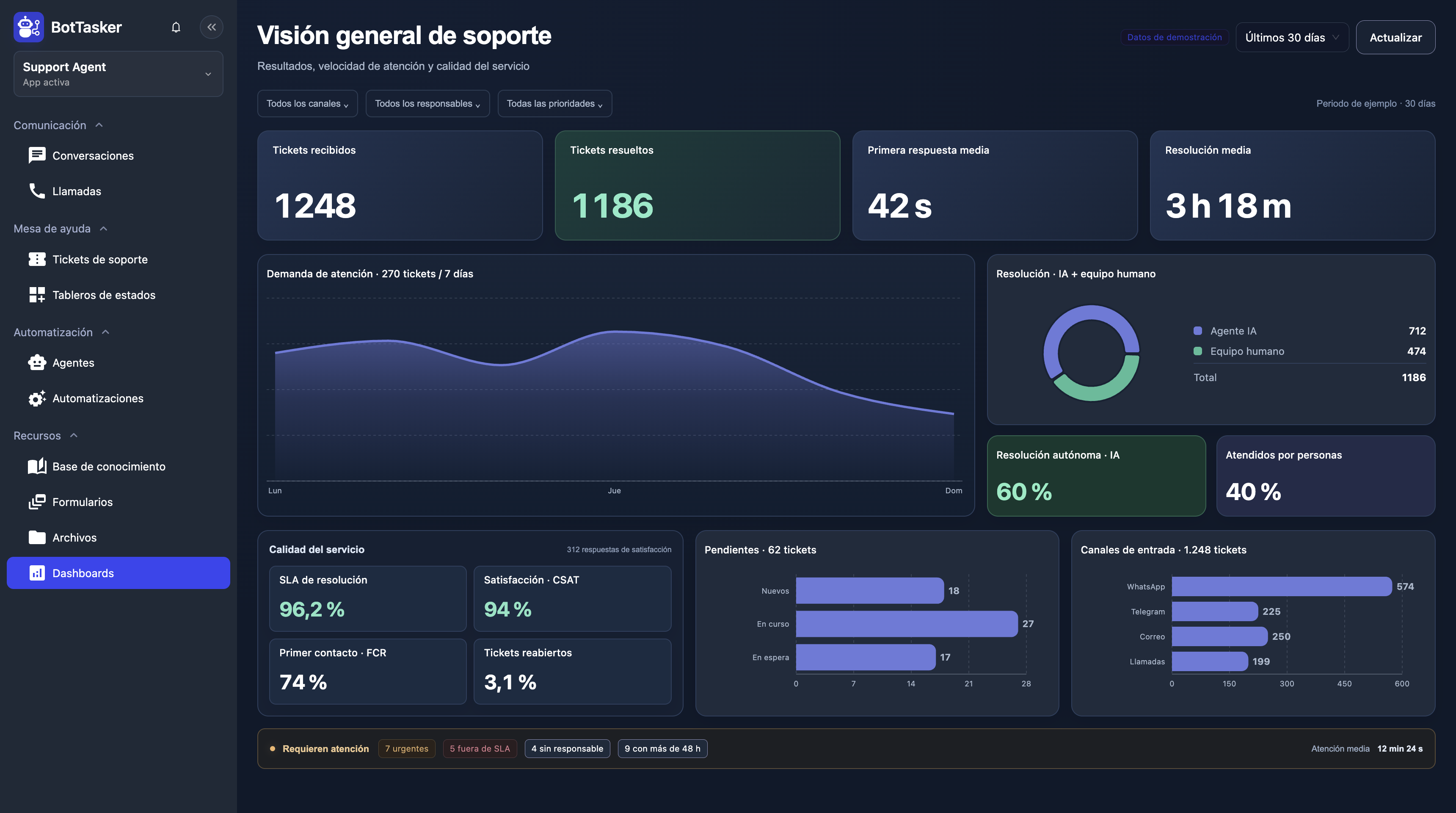
The dashboard brings together volume, backlog, service times, SLA, satisfaction and AI or human resolutions. Figures are illustrative; each indicator uses your operation’s data sources and rules.
AI + PEOPLE, IN THE SAME SUPPORT JOURNEY
Camila’s case needed an owner. Other reports can be resolved by the agent, depending on the knowledge, tools and rules you configure.
With a prepared knowledge base, the agent can consult procedures and solutions, guide customers and resolve reports within its scope without handing every case to a person. It records the work and confirms the outcome before closure.
Your team can join the conversation, reply and continue the ticket with its history in view. Manual intervention allows the agent’s attention to pause while a person takes over.
When information is missing, a procedure does not solve the problem or human judgment is needed, the agent can assign the case according to your rules. The owner receives the report, troubleshooting and evidence; the customer keeps the same conversation.
Track workload, response speed and service quality. Compare AI resolutions with cases handled by your team and identify what needs action.
On mobile, swipe the dashboard to read every indicator.
Received and resolved tickets, backlog, aging and reopened cases.
First response, resolution time and average handling time. Compare channels, priorities and owners.
SLA compliance, overdue tickets, customer satisfaction (CSAT) and first-contact resolution (FCR).
AI resolutions, cases handled by people and handoff share. Find opportunities to improve the knowledge base.
Incoming and resolved tickets over time, channel distribution and queues by status. Identify peaks and buildup.
Urgent and unassigned tickets, workload per person and cases open for too long.
Define business hours, SLA rules and data sources for each indicator. The sample AI and human percentages refer to resolved tickets; time and satisfaction metrics require service records and survey responses.
Explore the app screens: the conversation, the ticket, its status and the actions that move it forward.
Tickets are organized in columns by status. Your team can see what is new, in progress or resolved.
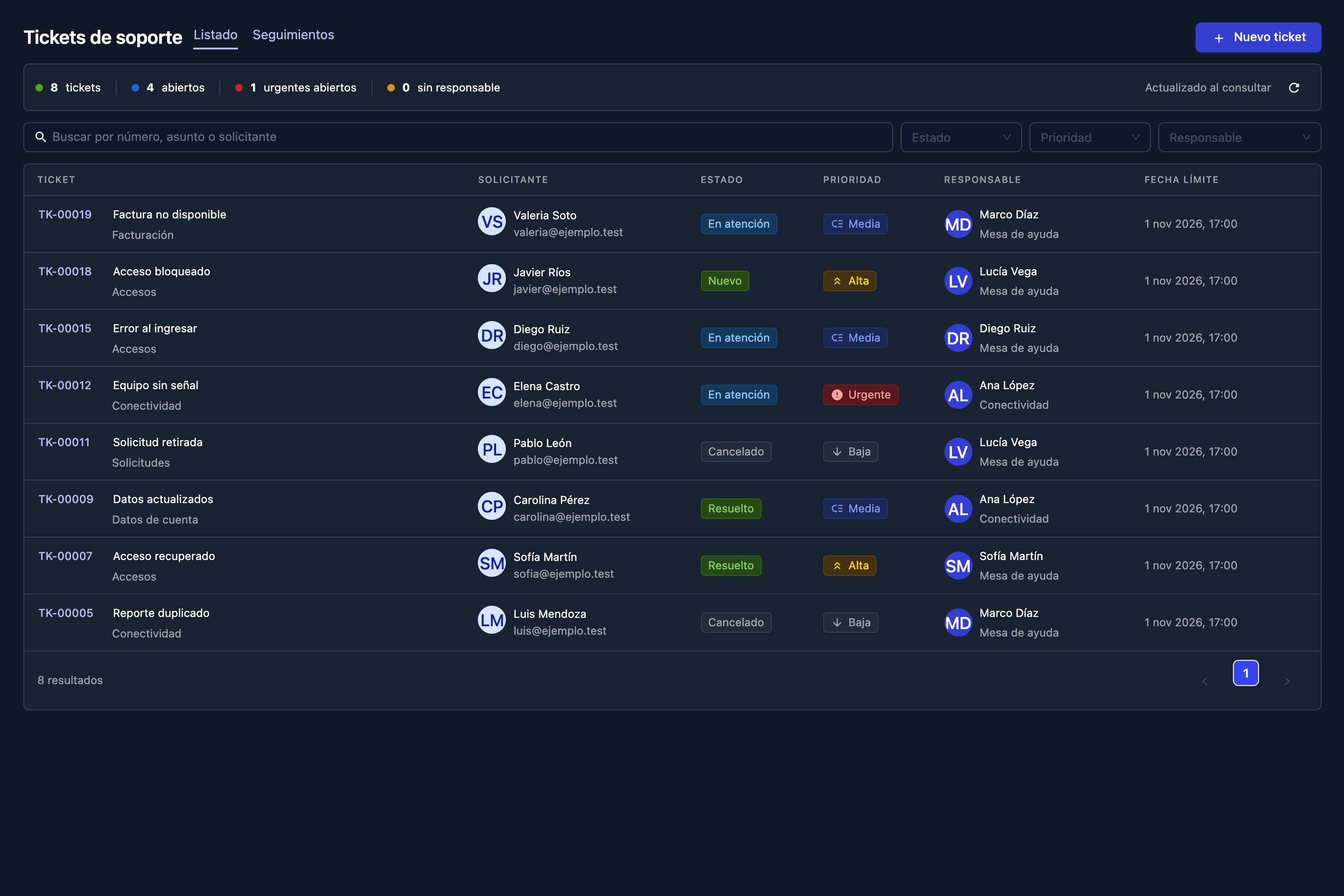
Review each ticket with its requester, contact, status, priority, owner and deadline. Start a case using New ticket.
From the initial report to photo evidence and ticket confirmation. Keep messages and attachments in the history so your team can continue with the full context.
Subject, priority, owner and case history together in the support tickets module.
Schedule reminders for the owner, review executions and keep support moving until the case is complete.
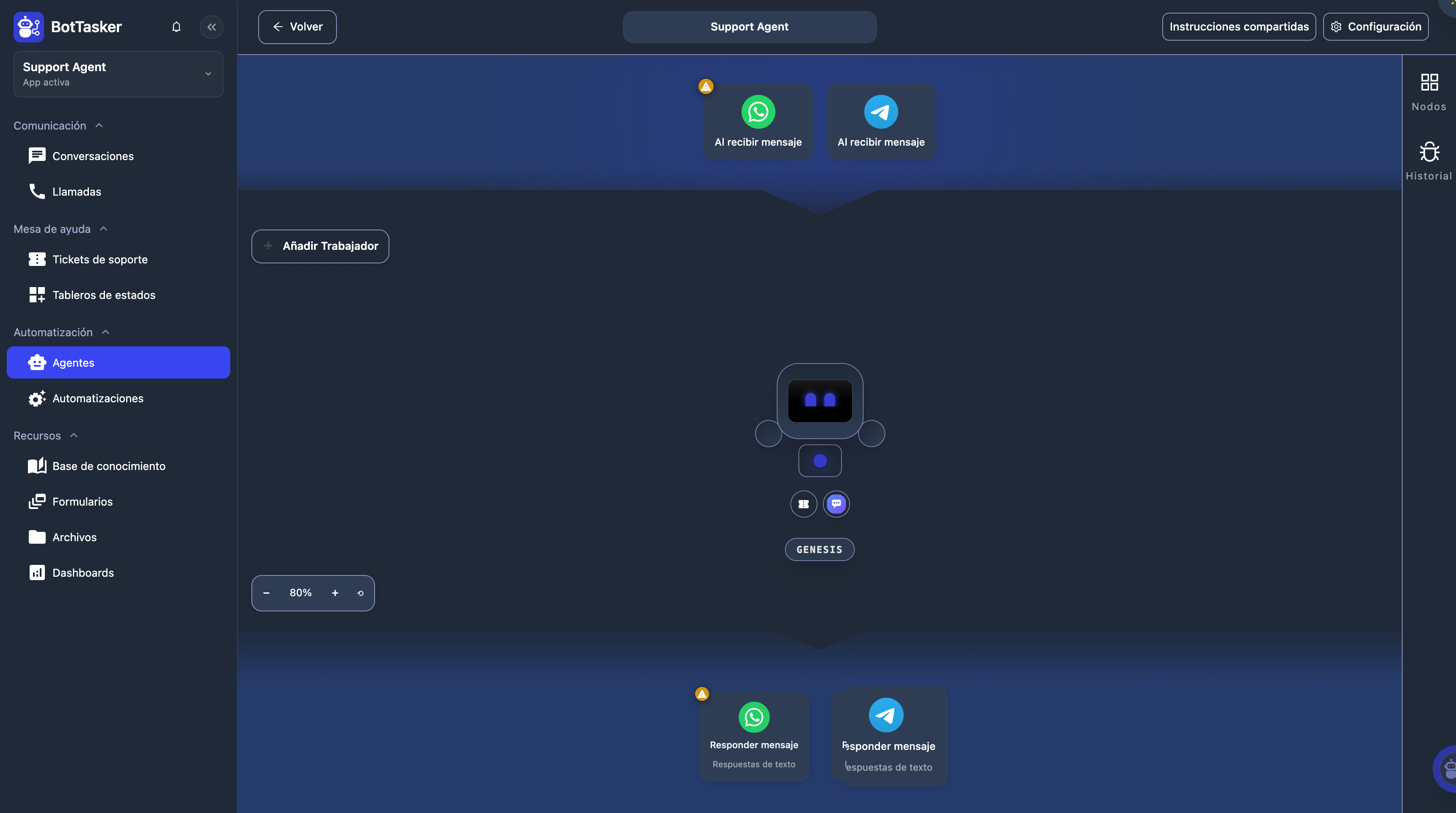
Your agent talks, records and updates using the tools and permissions you configure for your operation.
Volume, service times, SLA, satisfaction, autonomous resolutions and team workload. The dashboard uses native components and illustrative figures for a 30-day period.
Actual product screens. Sample data. The captured product interface is in Spanish.
Connect your channels, define owners and organize support with tickets, boards and an agent that follows the process.
Configure the channels, permissions and support rules for your business.